
· 1 min read
PicPick, one of the best utilities for web developers
PicPick, a free Windows utility with a colour picker, on-screen ruler and screen capture tool for web developers.
Episode rescued from the SeViR Notes archive and translated from Spanish. Originally published on March 27, 2015.
I’ve rarely come across such a versatile tool. Years ago I relied on a couple of utilities I simply couldn’t do without: an on-screen ruler to measure the pixels of anything I could see, and a color picker to grab any colour on the screen (which comes in handy when you’re a bit colour-blind).
On the Mac, the best option is without a doubt Color Schemer Studio, a great tool for picking colours and exploring variations on them until you end up with a matching palette.
On Windows, Color Schemer Studio isn’t quite the same as the Mac version, nor is it as easy to use. And I never found an on-screen ruler that won me over.
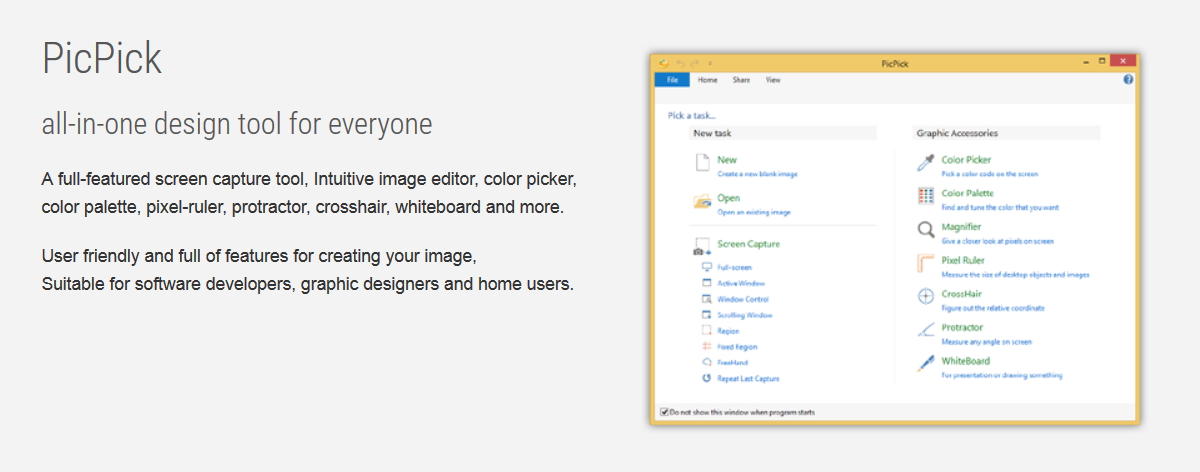
Then last week I finally discovered PicPick, which is also free for personal use. It doesn’t just have a Color Picker and an on-screen ruler: it also comes with a protractor, a crosshair to measure points, a screen capture tool with an editor for annotating screenshots with all sorts of elements, and finally a virtual whiteboard for drawing directly on the screen.
Highly recommended, no question about it.